 An InvoiceNext guide · Oman
Get ready for
Oman Fawtara.
Understand electronic invoicing, assess your current software and prepare your finance and IT teams for the next practical step.
A practical readiness conversation. Clear scope before commitments.

Readiness without the guesswork.
Country guidance written for the people who own the invoice process: finance leaders, IT teams and business owners.
Know what applies.
Use official sources to identify the legal entity, tax status and implementation requirements that matter to your business.
Explore the guide ↗Bring finance and IT together.
Inventory systems, document types, tax data and exception handling. Assign owners before choosing the technical route.
Explore the guide ↗Map your next step.
Use the checklist to prepare a focused discussion about software, accredited-provider onboarding and integration.
Explore the guide ↗One invoice.
Several responsibilities.
Your business owns the source data. Your software prepares the document. An appointed accredited provider manages the regulated exchange under the applicable operating arrangement.
Get the data right.
Confirm buyer identity, tax treatment, line items, totals and supporting records.
Prepare the document.
Map fields, validate payloads and handle accepted, rejected and corrected documents.
Confirm the exchange route.
Review accreditation, appointment, onboarding, testing and the responsibilities in the provider contract.
Your ERP stays.
The invoice journey moves forward.
One clear flow, with responsibilities agreed before implementation.
or InvoiceNext Business
Map · validate · track
exchange and status feedback
e-invoicing network
Conceptual flow. Country availability, provider appointment, supported interfaces and testing are confirmed for your implementation. InvoiceNext is not represented as separately accredited.
Four things to bring to the table.
Where you operate, your tax registrations and legal entities.
ERP, accounting tools, invoice sources and interfaces.
Volume, document types, customers and tax treatment.
Finance and IT owners, intended dates and testing needs.
A practical readiness plan.
For your Oman business.
Prepare your invoice data, review your current system and identify the right next step for Oman Fawtara.
Explore my options →A closer look at InvoiceNext.
Real screens from the InvoiceNext demonstration environment. Click any screen to see it in detail.
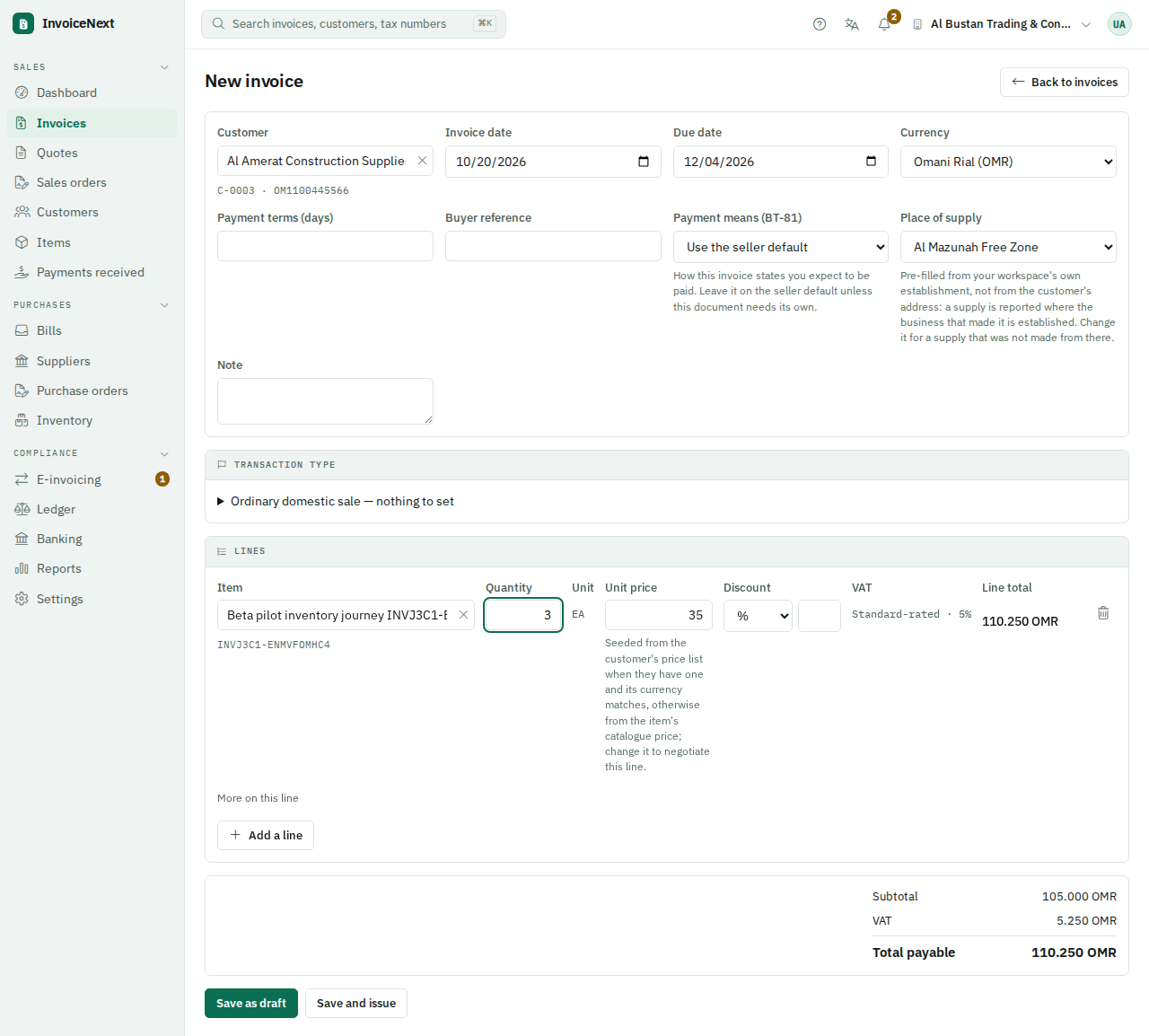
Make the invoice workflow visible.
See customer details, invoice lines, tax treatment and totals in the actual InvoiceNext interface.
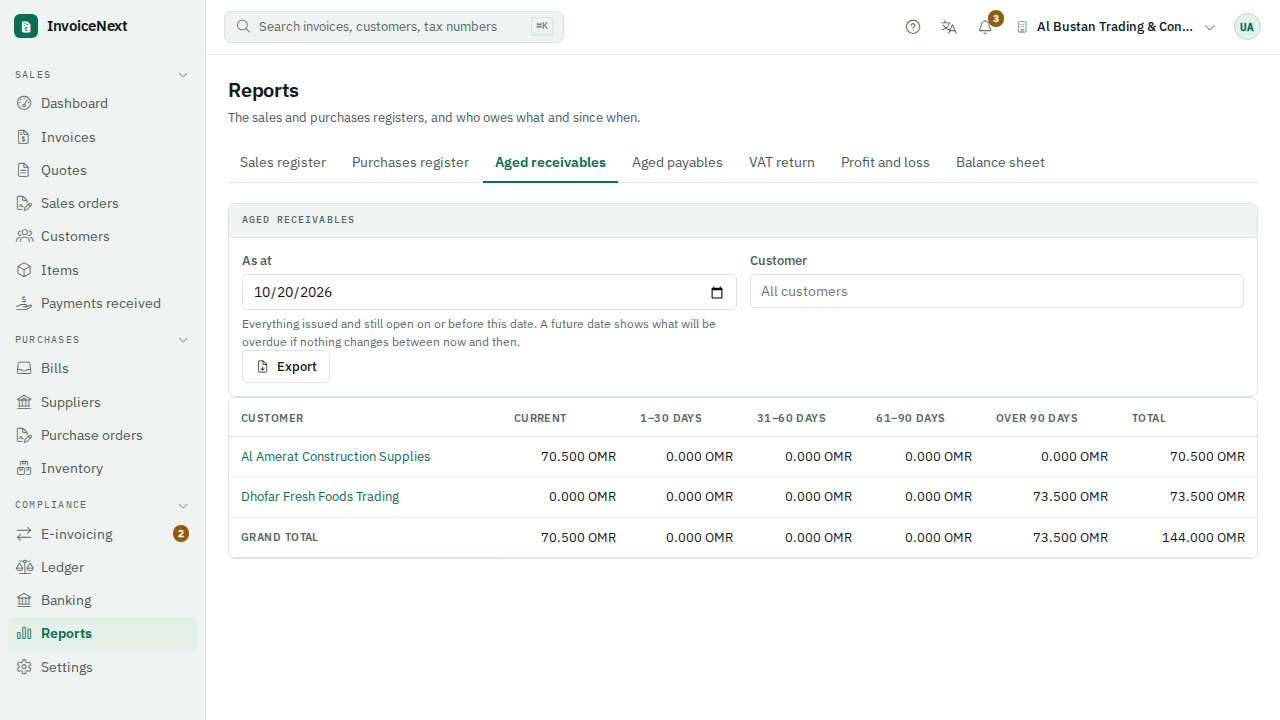
See what is due, and when.
Aged receivables brings current and overdue balances into one clear view.
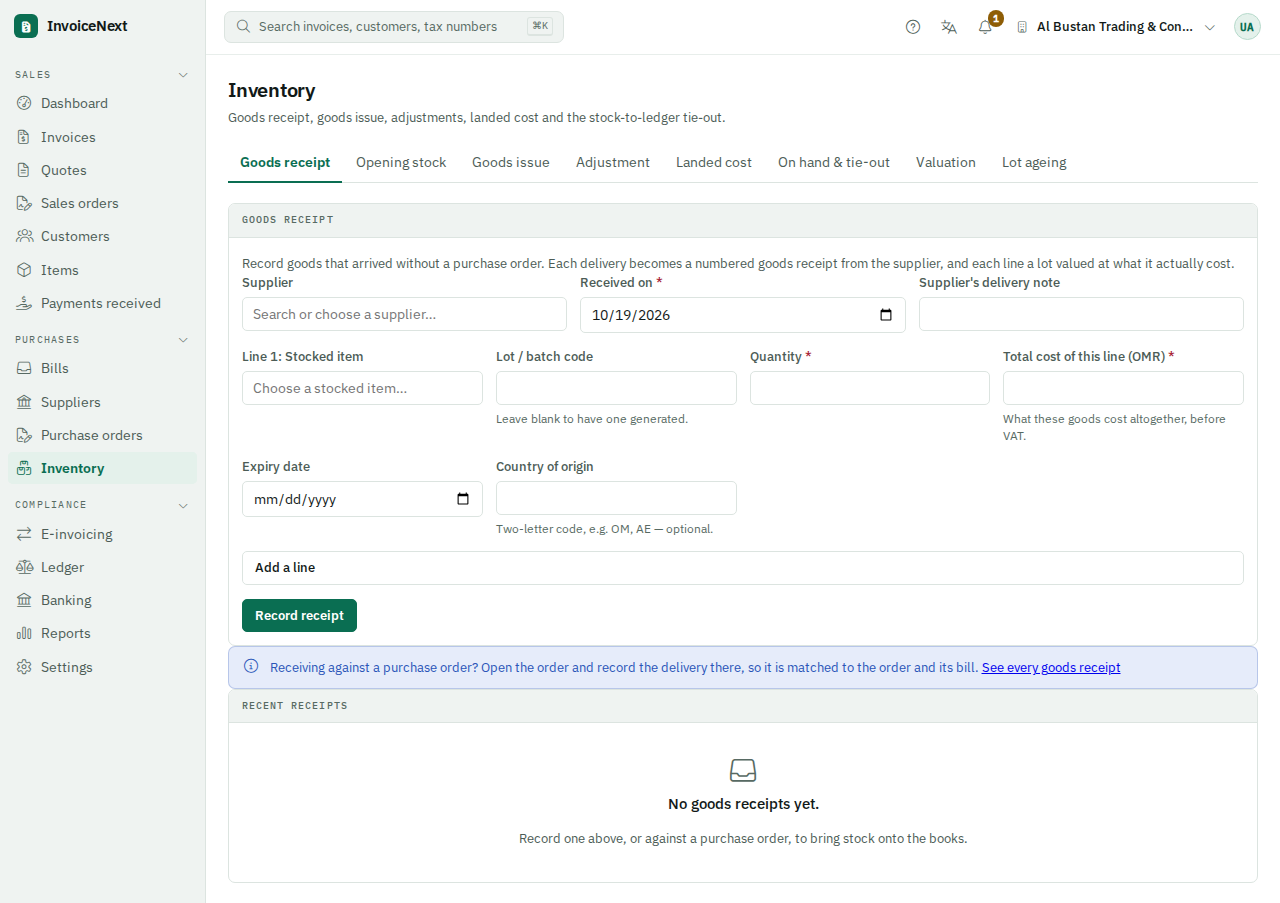
Connect invoicing to the business.
Explore goods receipts, quantities and the inventory workflow in a product demonstration.
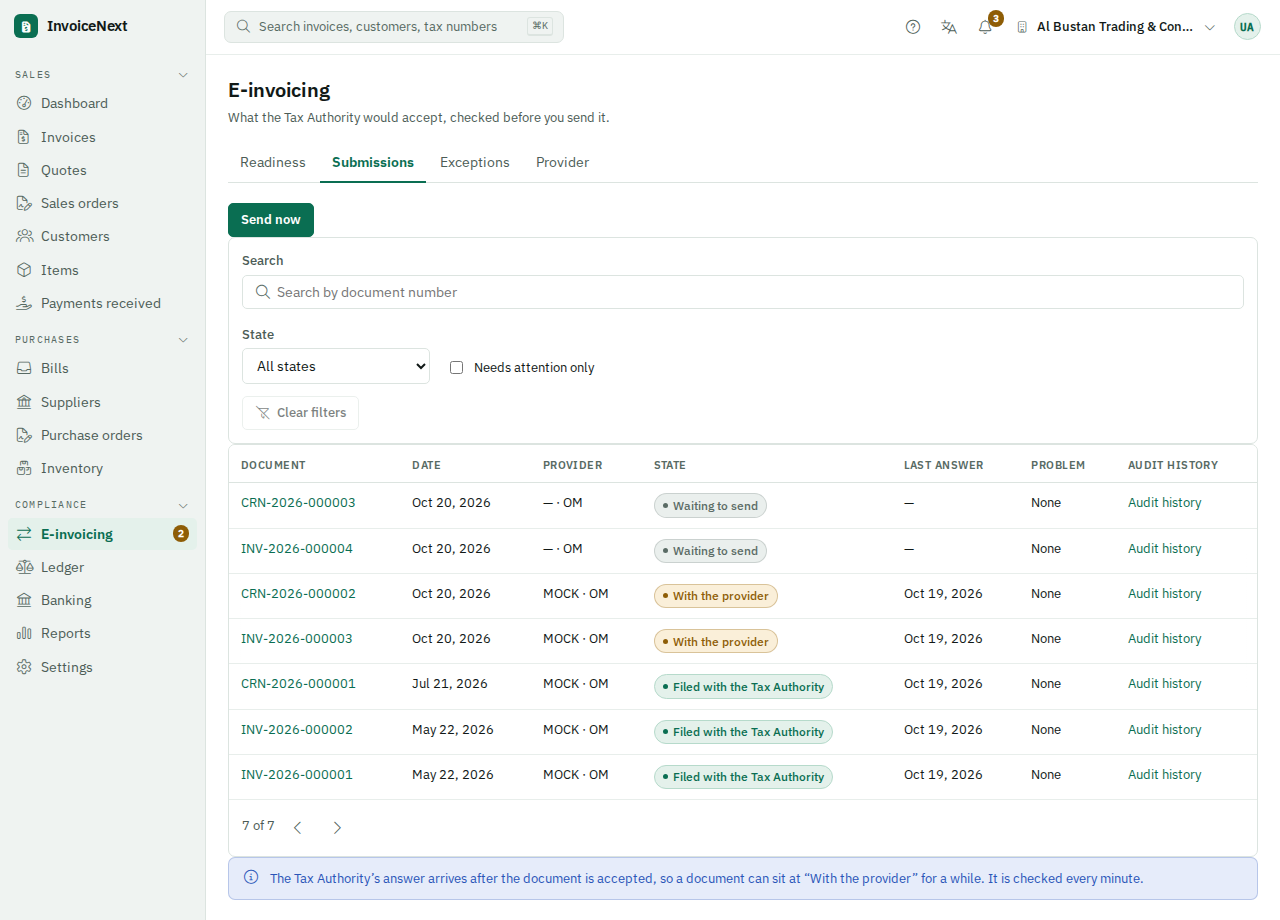
Follow the document journey.
Submission states and exceptions are visible in the demo. The pictured provider is a mock test provider, not evidence of live authority transmission.
Screenshots show real demonstration software with sample businesses and test records. They are not customer testimonials or a promise that every feature or provider route is available in every deployment. Confirm your intended environment during the demo.
استعد للفوترة الإلكترونية في عُمان
دليل عملي لفرق المالية وتقنية المعلومات وأصحاب الأعمال في سلطنة عُمان. افهم متطلبات نظام «فوترة»، وراجع بيانات فواتيرك ونظامك الحالي، وحدّد الخطوة التالية المناسبة لمنشأتك.
لديك نظام حالي؟
استكشف مسار التكامل بعد مراجعة بيانات الفواتير والواجهات المتاحة. لا تفترض ضرورة استبدال النظام قبل تقييم الخيارات.
تحتاج إلى تنظيم الفواتير؟
اطلب عرضًا توضيحيًا لواجهة InvoiceNext وسير عمل الفواتير، وتحقّق من الوظائف المتاحة في بيئة التنفيذ المقصودة.
ابدأ بتقييم الجاهزية
جهّز معلومات النظام الحالي وحجم الفواتير والمسؤولين عن المالية وتقنية المعلومات. راجع المتطلبات والتوقيت مع الجهة المختصة.
هذا موقع تجاري مستقل وليس بوابة حكومية. يجب تأكيد المتطلبات والتعاقد مع مزوّد الخدمة ونطاق التكامل قبل التنفيذ.
Read the latest practical guide.
Oman Fawtara: build a useful finance and IT readiness pack
Prepare current OTA applicability evidence, invoice samples, system interfaces and clear owners before choosing an integration route.
Read the guide ↗Bring your current system.
We’ll start there.
Tell us where you operate and how you invoice today. The SoftNext team will review your enquiry and arrange the right business or technical conversation.
Your country, ERP, invoice volume and intended timeline.
Explore ERP connection, InvoiceNext Business or a partner discussion. A submitted enquiry is a request; a meeting is confirmed separately.
Prefer email? vikrant@softnext.solutions
Already using InvoiceNext? Open the application ↗